
Once your virtual dedicated number has been purchased and appears in CXT, you can assign it for reply routing, auto‑replies, and keyword triggers.
Send Replies To
You can set where SMS replies are directed, choosing from:
- Email address
- Callback URL
- Returned through the SMPP bind (when sending outbound SMS via SMPP with this virtual number)
- CXT web inbox only
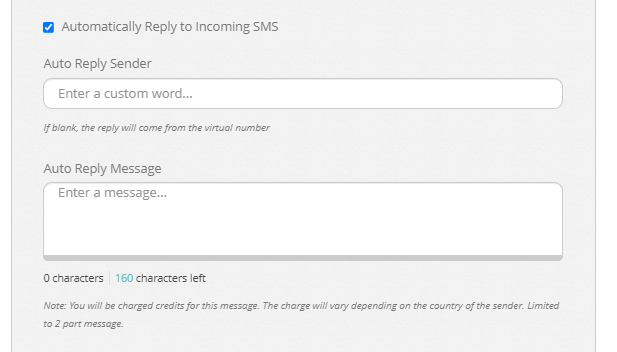
Auto‑Reply to all Incoming SMS When adjusting the ‘send replies to’ setting, you can also enable an automatic response for every incoming SMS.
Note: Use this option if you want a universal auto‑reply applied to all inbound messages.
Keyword Triggers Keywords let you send automated responses whenever an incoming message includes a specific word (or set of words).
Example:
When the keyword ‘Prize’ is detected, send an auto‑reply such as: “Thanks for your competition entry”.
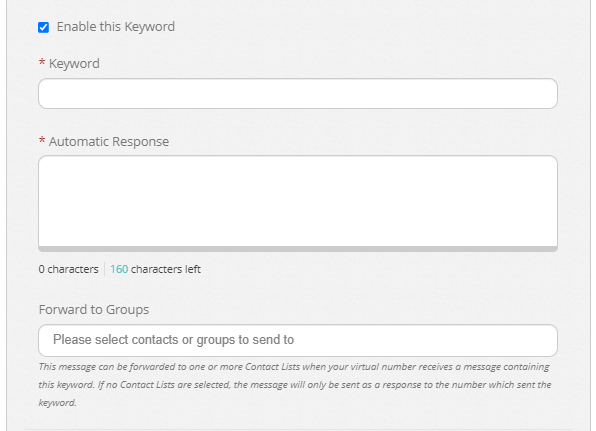
Note: Each keyword trigger also includes an option to ‘Forward to Groups’. When enabled, the automated reply will be forwarded to one or more selected contact lists.
